Contents
- 1 Yahoo Mail Login Guide: How to Sign In and Fix Login Problems
- 1.1 Yahoo Mail Login (Step-by-Step)
- 1.2 Common Yahoo Mail Login Problems
- 1.2.1 Login Failed or Incorrect Password
- 1.2.2 Yahoo Login Page Keeps Refreshing or Redirecting
- 1.2.3 Yahoo Mail Not Loading or Stuck on Login Screen
- 1.2.4 VPN Causing Login Problems
- 1.2.5 Yahoo Account Key or Verification Issues
- 1.2.6 Browser Extensions Breaking Login
- 1.2.7 Outdated Browser or Device Issues
- 1.2.8 Account Inactivity or Deactivation
- 1.3 Best Practices for Reliable Yahoo Mail Login
- 1.4 About Yahoo Mail.
- 1.5 Yahoo Mail Sign In – Quick Step-by-Step.
- 1.6 Yahoo Mail Mobile Login.
- 1.7 Yahoo Mail Login with App.
- 1.8 www.YahooMail.com and www.Ymail.com.
- 1.9 I Have Forgotten my Yahoo Mail Password.
Yahoo Mail Login Guide: How to Sign In and Fix Login Problems
Welcome to the updated Yahoo Mail Login guide. If you’re trying to log into Yahoo Mail and something isn’t working, a failed login, redirect loop, or missing inbox, you’re not alone. Yahoo has changed its login system and security checks several times in recent years, and many common problems are caused by browser settings, outdated sessions, or account security triggers rather than incorrect passwords.
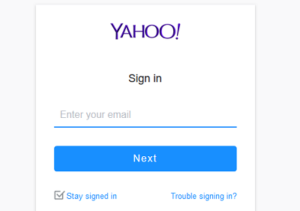
This guide is based on real troubleshooting scenarios across desktop browsers, mobile devices, and the Yahoo Mail app. Instead of repeating generic help instructions, we focus on what actually works when Yahoo Mail login fails.
If you just want to sign in, follow the step-by-step instructions below. If you’re stuck, scroll down to the troubleshooting section where we break down the most common login issues and how to fix them quickly.
Yahoo Mail Login (Step-by-Step)
How to log into Yahoo Mail on Desktop
On a desktop computer, the most reliable way to log into Yahoo Mail is to go directly to the official login page.
Step-by-step:
- Open your browser (Chrome, Edge, Safari, or Firefox)
- Go to https://login.yahoo.com
- Enter your full email address (for example: [email protected])
- Click Next
- Enter your password
- Click Sign in
After logging in, Yahoo may take you to the homepage instead of your inbox. If that happens, click the Mail icon in the top-right corner or go directly to mail.yahoo.com.
How to log into Yahoo Mail on Mobile (iPhone & Android)
You can log in using your mobile browser or the Yahoo Mail app. For browser login:
Step-by-step:
- Open Safari (iPhone) or Chrome (Android)
- Go to https://login.yahoo.com
- Enter your email address
- Tap Next
- Enter your password
- Tap Sign in
If the page does not load correctly, switch between Wi-Fi and mobile data. In many real cases, this resolves login issues caused by local network problems or DNS errors.
How to log into Yahoo Mail using the Yahoo Mail App
If you prefer using the official app, download it from the App Store (iPhone) or Google Play (Android).
Step-by-step:
- Open the Yahoo Mail app
- Tap Sign in with Yahoo
- Enter your email address
- Tap Next
- Enter your password or approve the login if using Account Key
If the app refuses your password, the issue is often related to account security settings. In that case, try logging in through a browser first to confirm your account status.
Common Yahoo Mail Login Problems
If Yahoo Mail won’t let you sign in, the issue is usually not what it seems. In real-world cases, most login failures are caused by browser data, device settings, or security checks — not just incorrect passwords.
Login Failed or Incorrect Password
If you see a “Login Failed” message, start with the basics:
- Check that Caps Lock is off
- Make sure you are entering the correct email address
- Watch out for similar characters like “1” and “l”
In many cases, the password is correct, but the browser is sending outdated login data. Opening an Incognito or Private window is often the fastest way to confirm this.
Yahoo Login Page Keeps Refreshing or Redirecting
This is one of the most common Yahoo Mail issues. It usually happens when your browser is stuck in a loop using old cookies or session data.
What works:
- Open the login page in Incognito mode
- If it works, clear cookies for yahoo.com
- Disable ad blockers or privacy extensions temporarily
In testing, redirect loops are almost always fixed by clearing browser data.
Yahoo Mail Not Loading or Stuck on Login Screen
If the page won’t load or freezes:
- Try a different browser
- Restart your device
- Check your internet connection
On mobile, switching between Wi-Fi and mobile data often fixes this instantly.
VPN Causing Login Problems
Yahoo’s security system may block or challenge logins from unusual locations. If you are using a VPN, your connection may appear to jump between countries.
Fix: Turn off the VPN and try logging in again from your normal connection.
Yahoo Account Key or Verification Issues
If Yahoo sends a push notification instead of asking for your password, you may have Account Key enabled.
If the notification does not arrive:
- Check your internet connection
- Make sure notifications are enabled
- Use “Try another way to sign in”
If your phone is unavailable, you will need to use your recovery email or phone number.
Browser Extensions Breaking Login
Some ad blockers and privacy tools block scripts that Yahoo needs for login.
If the login form looks broken or incomplete:
- Disable extensions temporarily
- Whitelist Yahoo in your ad blocker
This is especially common with aggressive privacy settings.
Outdated Browser or Device Issues
Yahoo requires modern security standards. Older browsers or operating systems may fail silently.
Fix:
- Update your browser to the latest version
- Try Chrome, Edge, Safari, or Firefox
Account Inactivity or Deactivation
If you haven’t logged in for a long time, your account may be inactive or restricted.
Try logging in at login.yahoo.com and follow any prompts for account recovery or reactivation.
Best Practices for Reliable Yahoo Mail Login
- Always use the official login page: login.yahoo.com
- Bookmark mail.yahoo.com for direct inbox access
- Clear browser cache regularly
- Avoid logging in through unknown or unofficial pages
- Keep your recovery email and phone number updated
About Yahoo Mail.
Yahoo Mail, or “Ymail”, is a part of the “Yahoo One Account’ suite of websites that include Yahoo Mail, Flicker, Yahoo News, Yahoo Sports, Yahoo Finance, and more.
In order to write and receive emails with yahoo Mail, you must have an existing Yahoo Mail account.
If you do not have a YahooMail account, you can create a Yahoo account here.
Yahoo Mail Sign In – Quick Step-by-Step.
How do I sign in to YahooMail from my home computer or my laptop?
- Visit https://login.yahoo.com/ from any web browser, like Explorer, Mozilla or Chrome.
- Enter your Yahoo email address (Yahoo Username) and click ‘Next‘.
- ‘Un-tick’ the ‘Stay signed in‘ box, if you are using a public/unsafe computer
- Enter your Yahoo Mail password and and continue by clicking on ‘Sign in‘.
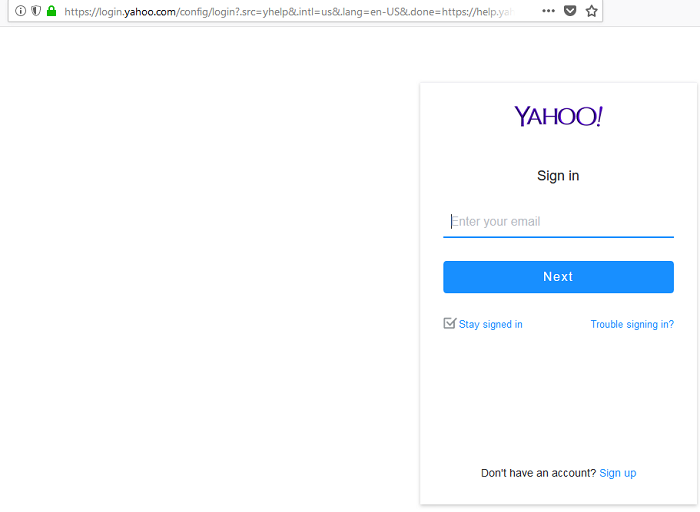
You can sign in with either your with either your Yahoo email address or your Yahoo Username. Both entries will be recognized both. Remember that Yahoo passwords are case-sensitive. Always check that the CAPS-LOCK button on your keyword is set to OFF.
Yahoo Mail Mobile Login.
Yahoo Inc. operates an alternative mobile optimixed login page here:
https://login.yahoo.com/m (Mobile Optimized).
Yahoo Mail Login with App.
Yahoo Mail Login with the Android app.
- Install the ‘Yahoo Mail App‘ from the Google play store.
- Enter your Yahoo email addess and click on ‘Next‘.
- Type your Yahoo mail password and click on ‘Sign in‘.
Yahoo Mail Login via the iPhone/iPad app.
- Download the ‘Yahoo Mail App’ from iTunes App store.
- Enter your Yahoo email address or id and click on the ‘Next‘ button.
- Enter your YahooMail password and click on the ‘Sign in‘ button.
Yahoo Mail Sign in with Two-step Verification.
The two-step verification in Yahoo Mail can be enabled if you require extra security. Yahoo mail has been hacked before on a large scale, so this is advisable. You will get a verification code via a sms message or an automated call.
www.YahooMail.com and www.Ymail.com.
To simplify their sustem, the www.Yahoomail.com, and the www.Ymail.com domains no longer exists. Both websites now-redirect to th login page at https://login.yahoo.com/.
I Have Forgotten my Yahoo Mail Password.
How do I reset my YahooMaill password?
When you want to reset a forgotten password, you will first need to verify that you are the Yahoo Maill account owner. An Account Code will be sent to your mobile phone number or you will need to answer several security questions.
The official Yahoo Account recover page is here.
If you continue to have problems logging in to Yahoo Mail, then share your experiences in the comment section.
Thanks for the tips! eric
i would like to add my wife email ,to my account witch will be two email Calvin & Annie
you have made it very hard to log in to my account and it wont take my info,,
I cannot access my two email accounts because Yahoo keeps sending the access codes to the email accounts I cannot open. I typed in my phone number but was sent back to the same unworkable Yahoo solutions and phone number was ignored. How do I cancel all my Yahoo accounts current and past (approximately four or five)?